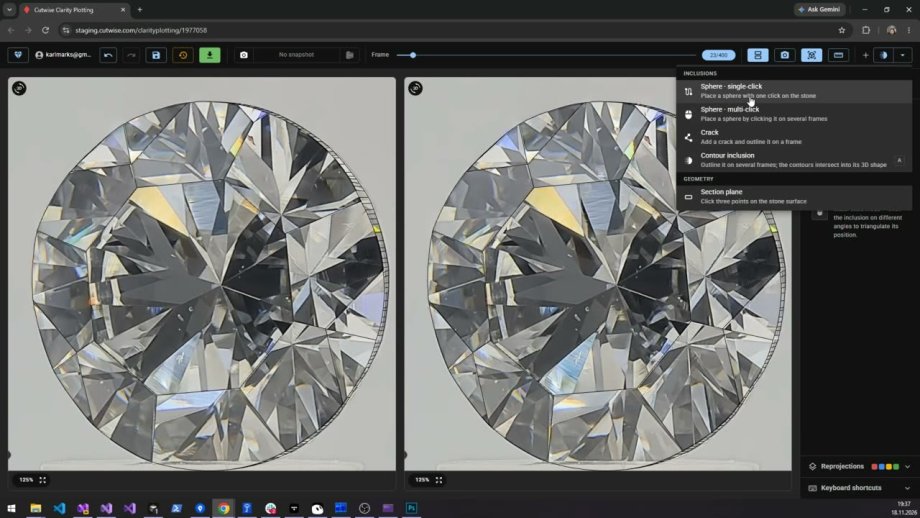
Mark small inclusions with spheres
A small inclusion is marked with one sphere. Click it, then set how deep it sits and how large it is.

Mark the inclusions of a rough or polished diamond on its 360 video and place them in its 3D model, in the browser.
These guides show how to mark inclusions in the Web Clarity Plotting tool.
A small inclusion is marked with one sphere. Click it, then set how deep it sits and how large it is.
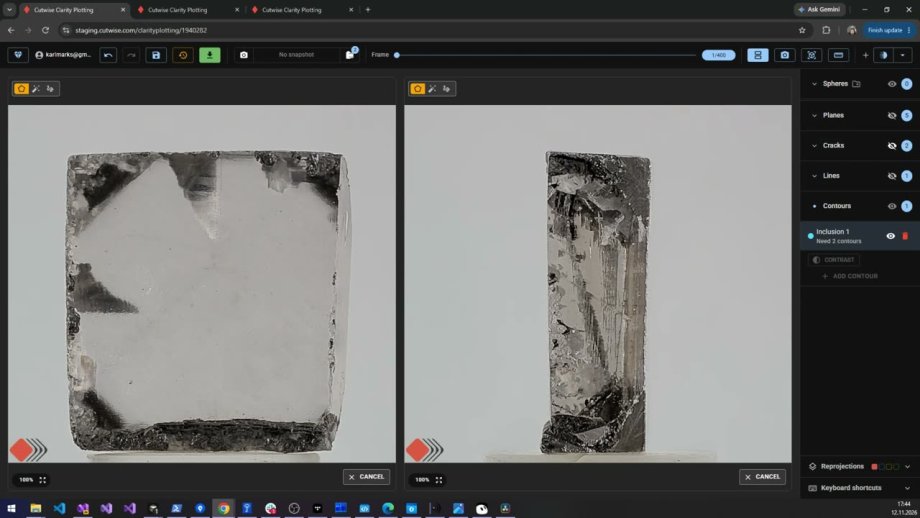
Use contours when an inclusion is not a simple sphere, and when a flat crack has no end face you can outline. The outlines from several angles become the inclusion's 3D shape.
Hide the imported inclusions that lie near the surface of a rough diamond, group the rest, and exclude a group from the project.
Plotted samples are on the Web Clarity Plotting demo. Prices are on Web Clarity Plotting pricing.