
Embedding a Widget
iframe code, URL parameters, templates and media IDs for the Cutwise Widget, the Comparison Widget, the Brilliant Story Widget and the Cutwise Player.
You embed Cutwise data into a website, web system, platform or online presentation with an <iframe> tag. There are four types of embeddable blocks:
- Cutwise Widget shows all captured videos and photos of a diamond with its optical performance scores.
- Comparison Widget compares two diamonds.
- Brilliant Story Widget plays the Brilliant Story video of a diamond.
- Cutwise Player shows one selected video or image from ViBox or DiBox.
Note
The widgets show only diamonds that are published on Cutwise, with the status Widget, Cutwise Search or Full Access.
Cutwise Widget
Example
<iframe
    name="Cutwise Widget"
    width="480"
    height="640"
    frameborder="0"
    src="https://widget.cutwise.com/performance/v1/333"
    allowfullscreen
></iframe>
Live demo: https://files-cdn.cutwise.com/widget/video-metrics-demo-v1/index.html
The general form of the code is:
<iframe
    name="Cutwise Widget"
    width="{WIDGET_WIDTH}"
    height="{WIDGET_HEIGHT}"
    frameborder="0"
    src="https://widget.cutwise.com/{TEMPLATE_NAME}/v1/{CUTWISE_ID}?autoplay={AUTOPLAY}"
    allowfullscreen
></iframe>
The src URL sets the content of the widget and its parameters. The width and height attributes set the size of the widget. Use the width and height from the Templates table below.
Templates
| Template | Example link | Width, px | Height, px | Appearance |
|---|---|---|---|---|
visual-performance |
https://widget.cutwise.com/visual-performance/v1/335 | 480 | 658 | 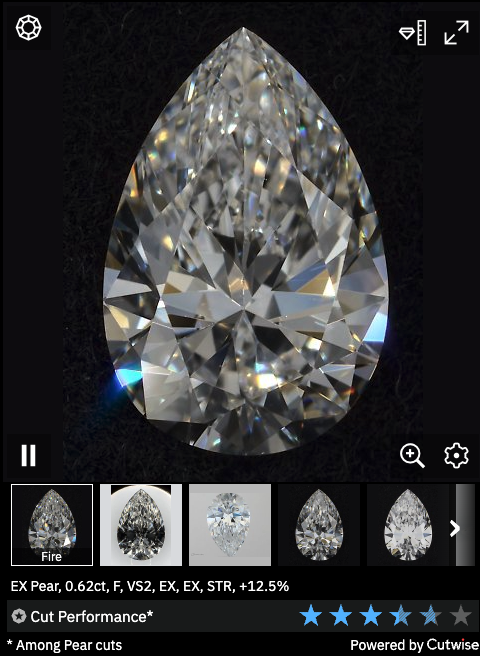 |
visual-performance |
320 | 490 |  |
|
performance |
https://widget.cutwise.com/performance/v1/337 | 480 | 640 | 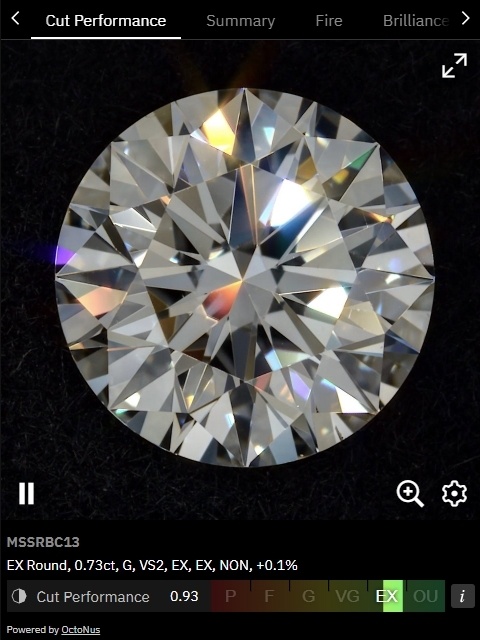 |
performance |
320 | 500 |  |
|
visual |
https://widget.cutwise.com/visual/v1/333 | 480 | 580 | 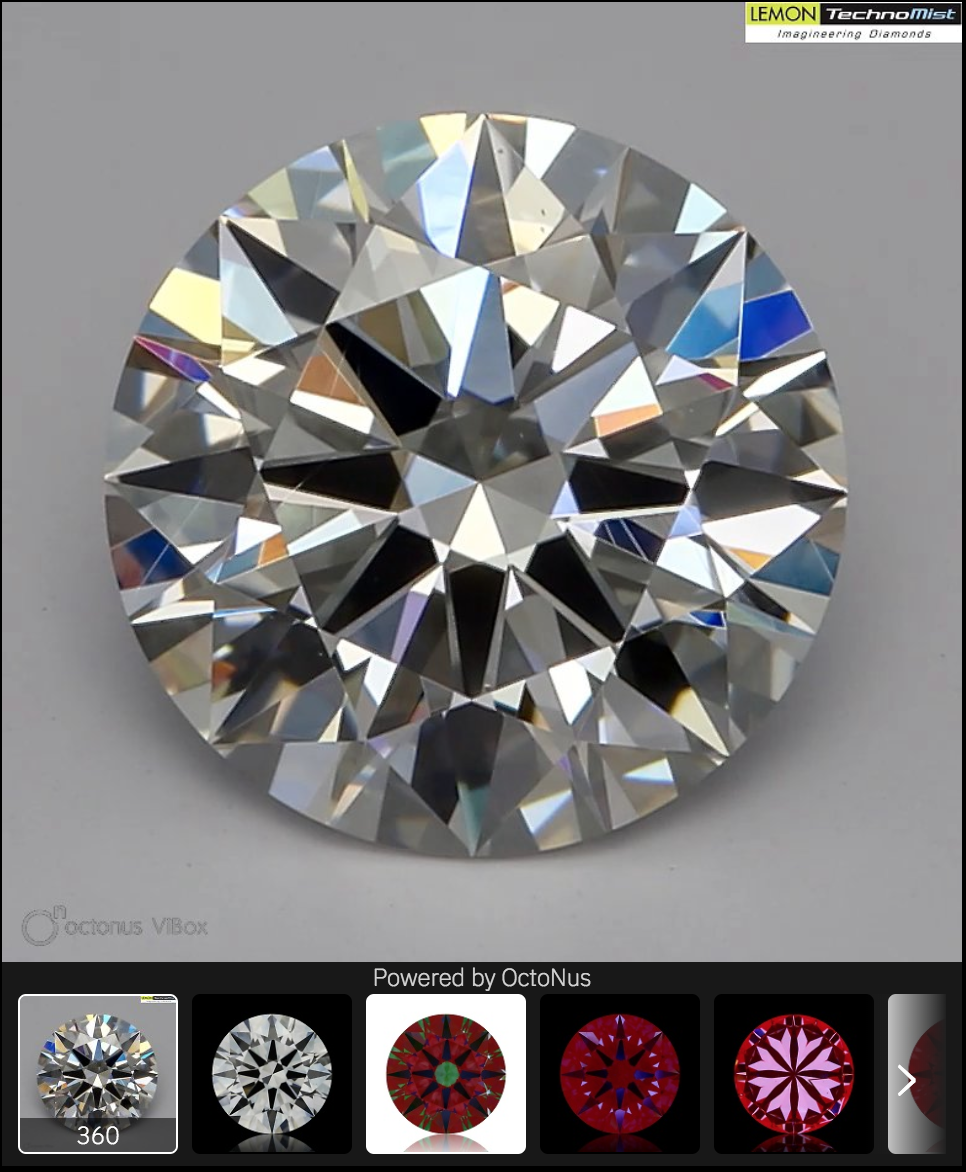 |
visual |
320 | 420 | 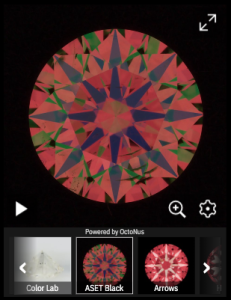 |
|
report |
https://widget.cutwise.com/report/v1/386/ | 1366 | 768 | 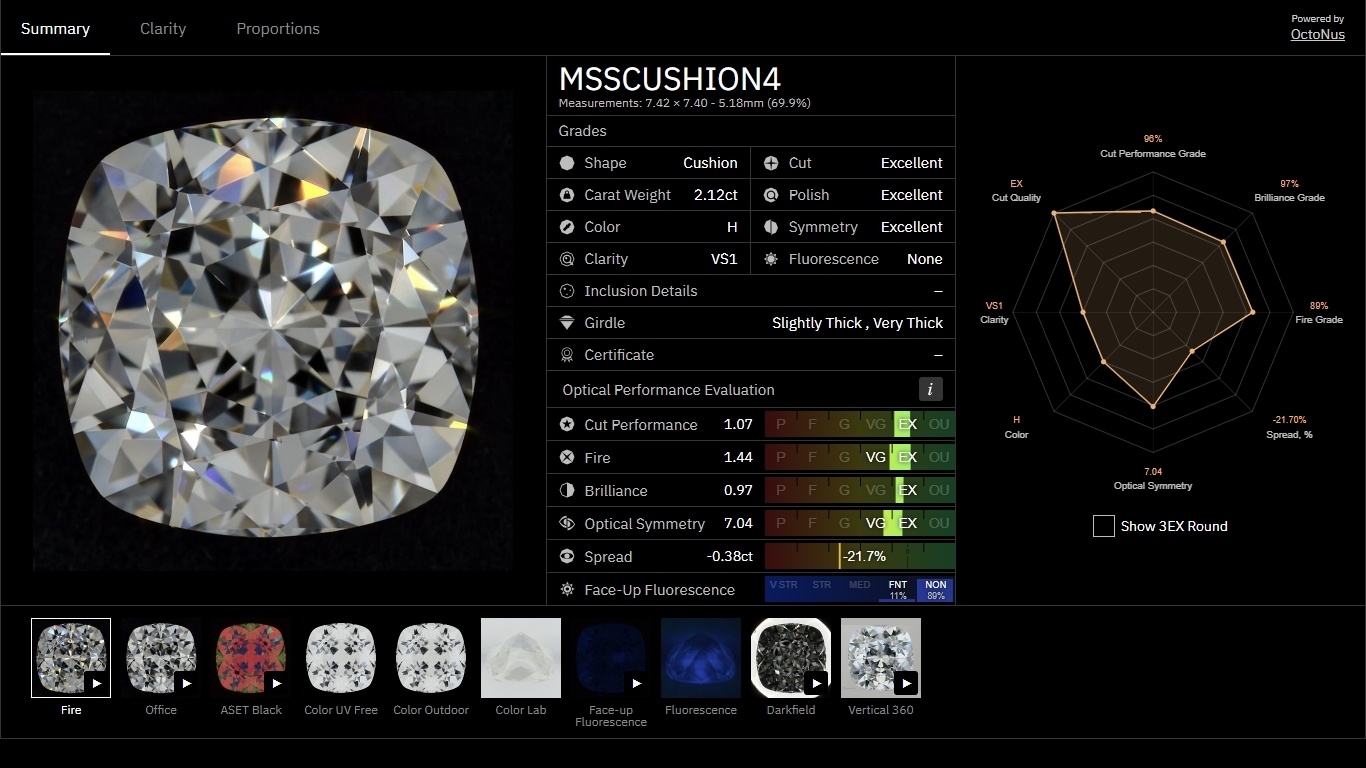 |
Parameters
| Parameter | Values | Default | Templates |
|---|---|---|---|
CUTWISE_ID |
Diamond ID | — | all |
AUTOPLAY |
1, 0 |
1 |
all |
sp[] |
SetupPreset ID (integer) | The media of the diamond page | visual, visual-performance |
dd |
cw-fancy, cw-round |
cw-round |
visual-performance, performance, report, RapNet |
star |
1, 0 |
0 |
visual-performance, performance, report, RapNet |
tabs |
Tab names | All tabs | performance, report, RapNet |
CUTWISE_IDis the ID of the diamond to embed. You see it in the URL of the diamond page: forhttps://cutwise.com/diamond/333the ID is333, and the widget link ishttps://widget.cutwise.com/performance/v1/333.AUTOPLAYsets whether the first video starts to play when the widget loads.-
sp[]selects the videos and images that the widget shows. Add onesp[]for each media, for example...&sp[]=43&sp[]=10&...:- Default media: https://widget.cutwise.com/visual/v1/333
- Only the DiBox 2.0 Fire video and the ASET Black photo: https://widget.cutwise.com/visual/v1/333?sp[]=43&sp[]=10
- Only the color presets: https://widget.cutwise.com/visual/v1/333?sp[]=64&sp[]=53&sp[]=38
- Only the ViBox 360 media: https://widget.cutwise.com/visual/v1/333?sp[]=1&sp[]=2
To find the SetupPreset ID of a media, click its thumbnail on the diamond page and read
sp=Nin the browser URL. The IDs are also in the List of SETUP_PRESET_ID below. dd=cw-fancyshows the optical performance scores with grades relative to the cutting form. It changes the scale and the color of the star rating (seestar). The defaultcw-rounduses the same optical performance evaluation as the diamond page on cutwise.com. Example: https://widget.cutwise.com/performance/v1/34294?dd=cw-fancystar=1shows the optical performance scores as a star rating. Example: https://widget.cutwise.com/visual-performance/v1/335?star=1tabsselects one or more widget tabs, for example...&tabs=fire,bril,osym&.... The widget shows the tabs in the order of the parameter. The tab names are in the next table. Examples:- Only the Clarity tab in the Report widget: https://widget.cutwise.com/report/v1/602395?tabs=clplot
- The Fire, Brilliance and Optical Symmetry tabs in the Performance Widget: https://widget.cutwise.com/performance/v1/602395?tabs=fire,bril,osym
Tab names
| Tab | Section | Performance and RapNet | Report |
|---|---|---|---|
summary |
General overview of the diamond characteristics | example | example |
clplot |
Clarity plotting and inclusion handling | example | example |
proportions |
Diamond proportions and report images | example | example |
cutperf |
Performance score and media | example | — |
fire |
Fire score and media | example | — |
bril |
Brilliance score and media | example | — |
osym |
Optical Symmetry score and media | example | — |
ha |
Hearts and Arrows photos | example | — |
fluor |
Fluorescence score and media | example | — |
spread |
Spread score and media | example | — |
color |
Color grade and media | example | — |
vibox |
ViBox or other 360 media | example | — |
radar |
Radar chart | example | — |
rough |
Rough diamond information and media | example | — |
munsell |
Munsell photos | example | — |
munsell-close-up |
Munsell close-up photos | example | — |
Comparison Widget
The Comparison Widget compares two diamonds.
Example
<iframe
    name="Cutwise Widget"
    width="1200"
    height="1000"
    frameborder="0"
    src="https://widget.cutwise.com/pair-comparison/59027/34016"
    allowfullscreen
></iframe>
Template
| Template | Example link | Width, px | Height, px | Appearance |
|---|---|---|---|---|
pair-comparison |
https://widget.cutwise.com/pair-comparison/59027/34016 | 1200 | 1000 | 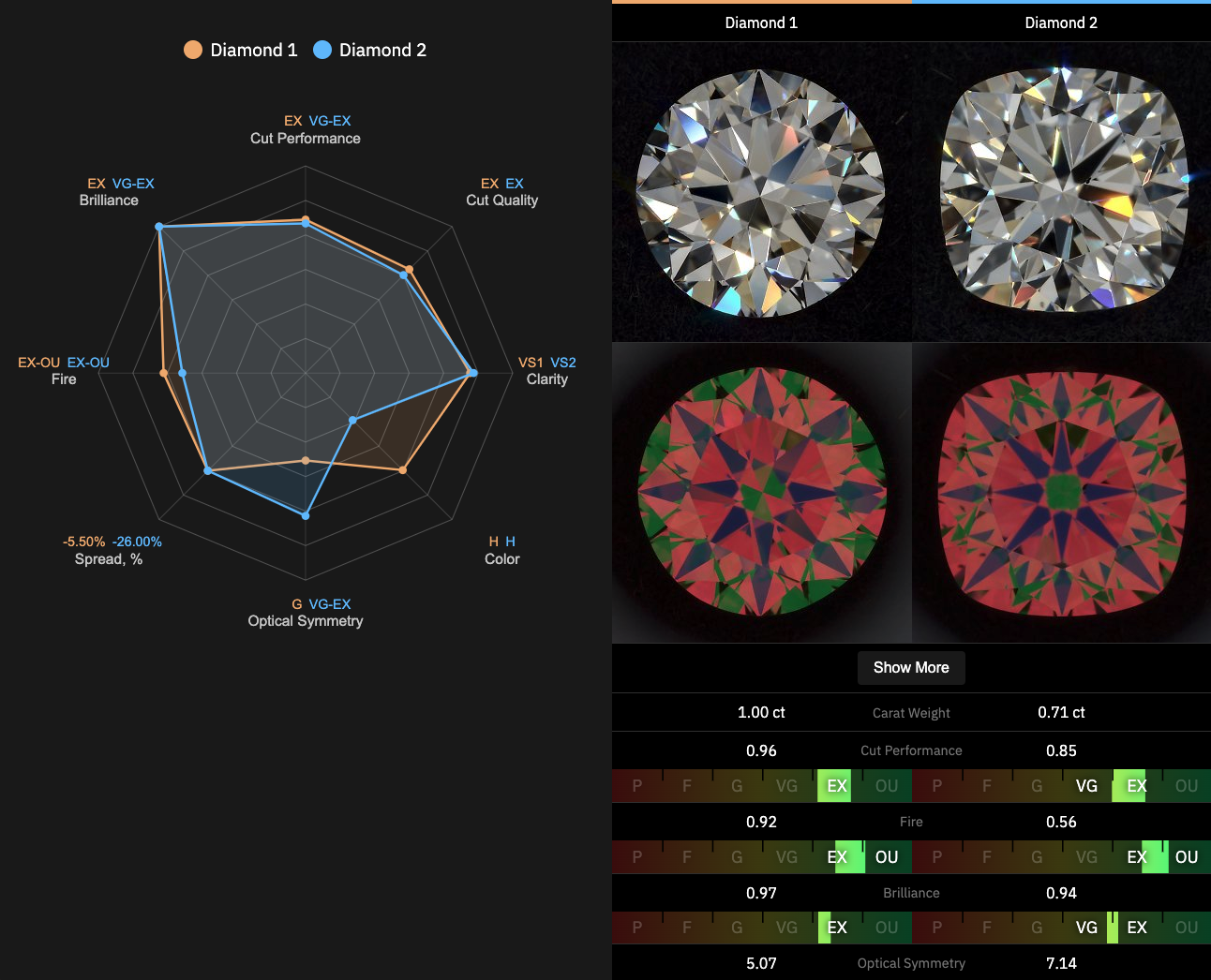 |
Parameters
| Parameter | Values | Default | Example |
|---|---|---|---|
CUTWISE_ID |
Two diamond IDs | — | https://widget.cutwise.com/pair-comparison/59027/34016 |
l |
1, 0 |
1 |
https://widget.cutwise.com/pair-comparison/65152/61719?l=1 |
CUTWISE_ID: the IDs of the two diamonds, from the URLs of their diamond pages (https://cutwise.com/diamond/333).lturns the special labels for lab-grown and photoreal diamonds on (1) or off (0).
Brilliant Story Widget
The Brilliant Story Widget plays the Brilliant Story video of a diamond in the Cutwise movie player, with its chapters. The diamond needs a finished Brilliant Story: Create Brilliant Story on the diamond page renders it for companies with Brilliant Story turned on.
Example
<iframe
    name="Brilliant Story Widget"
    width="640"
    height="640"
    frameborder="0"
    src="https://widget-v3.cutwise.com/story/1775140"
    allowfullscreen
></iframe>
The general form of the code is:
<iframe
    name="Brilliant Story Widget"
    width="{WIDGET_WIDTH}"
    height="{WIDGET_HEIGHT}"
    frameborder="0"
    src="https://widget-v3.cutwise.com/story/{CUTWISE_ID}?autoplay={AUTOPLAY}"
    allowfullscreen
></iframe>
The video is square. The widget fills the iframe with a black background and centers the video in it at the largest square that fits, up to 1920 px, so set equal width and height.
Parameters
| Parameter | Values | Default | Example |
|---|---|---|---|
CUTWISE_ID |
Diamond ID | — | https://widget-v3.cutwise.com/story/1775140 |
AUTOPLAY |
1, 0 |
1 |
https://widget-v3.cutwise.com/story/1775140?autoplay=0 |
CUTWISE_IDis the ID of the diamond to embed. You see it in the URL of the diamond page: forhttps://cutwise.com/diamond/1775140the widget link ishttps://widget-v3.cutwise.com/story/1775140. The widget takes only the Cutwise ID; the/<CompanyID>/<StoneID>form of the URL does not work for it.AUTOPLAYsets whether the video starts to play when the widget loads.
The widget shows Movie not found when the diamond has no finished Brilliant Story and when the owner of the diamond restricts access to it. Sharing from the movie player is turned off in the widget.
Cutwise Player
The Cutwise Player shows one video or image. Parameters in the iframe URL set the media and the playback.
Example
<iframe
    name="Cutwise Player"
    width="480"
    height="480"
    frameborder="0"
    src="https://widget.cutwise.com/video/333"
    allowfullscreen
></iframe>
The general form of the code is:
<iframe
    name="Cutwise Player"
    width="{MEDIA_SIZE}"
    height="{MEDIA_SIZE}"
    frameborder="0"
    src="https://widget.cutwise.com/video/{CUTWISE_ID}?sp={SETUP_PRESET_ID}&autoplay={AUTOPLAY}"
    allowfullscreen
></iframe>
The width and height attributes set the size of the player. Use values close to MEDIA_SIZE.
Live demo: http://files-cdn.cutwise.com/widget/video-demo-1/index.html
The code of this demo:
<iframe
    name="Cutwise Player"
    width="640"
    height="640"
    frameborder="0"
    src="https://widget.cutwise.com/video/333?sp=51&autoplay=1"
    allowfullscreen
></iframe>
Parameters
| Parameter | Values | Default | Example |
|---|---|---|---|
CUTWISE_ID |
Diamond ID | — | https://widget.cutwise.com/video/333 |
AUTOPLAY |
1, 0 |
0 |
...&autoplay=1&... |
GRAYSCALE |
1, 0 |
0 |
...&grayscale=1&... |
AUTORESIZE |
1, 0 |
1 |
...&autoresize=0&... |
SETUP_PRESET_ID |
SetupPreset ID (integer) | The first video on the diamond page | ...&sp=43&... |
CUTWISE_IDis the ID of the diamond to embed. You see it in the URL of the diamond page: forhttps://cutwise.com/diamond/333the player link ishttps://widget.cutwise.com/video/333.AUTOPLAYsets whether the first video starts to play when the player loads.GRAYSCALEshows the videos and images in grayscale.AUTORESIZEturns the resize listeners on or off. When it is on, the player resizes to the width and height of the iframe, in steps. The supported sizes are 160×160, 240×240, 320×320, 480×480, 640×640, 960×960, 1200×1200 and 1920×1920.SETUP_PRESET_IDselects the media to show for the diamond. For example, the Hearts image: https://widget.cutwise.com/video/333?sp=14
List of SETUP_PRESET_ID
The player shows a media only when the diamond page has this media.
Videos:
| SetupPreset ID | SetupPreset title |
|---|---|
| 1 | ViBox Vertical 360 |
| 2 | ViBox 360 |
| 3 | ViBox Vertical Swinging |
| 4 | ViBox Swinging |
| 5 | ViBox Fire Mono |
| 6 | ViBox Office Mono |
| 21 | ViBox Fire |
| 22 | ViBox Office |
| 23 | Darkfield Swinging (Crown) |
| 28 | ViBox Fire Gyro |
| 32 | Darkfield Gyro |
| 33 | ViBox Fire Gyro 2D |
| 38 | Fluorescence Live Photo |
| 41 | Office Live Photo |
| 43 | DiBox 2.0 Fire |
| 44 | Fire Live Photo |
| 45 | DiBox 2.0 Office |
| 47 | ASET Black Live Photo |
| 51 | Darkfield |
| 53 | Pavilion Color Lab Live Photo |
| 60 | Brightfield |
| 81 | 360 Video Girdle (third-party hardware) |
| 82 | 360 Video Pavilion (third-party hardware) |
Images:
| SetupPreset ID | SetupPreset title |
|---|---|
| 7 | Office Black |
| 9 | Office Gray |
| 10 | ASET Black |
| 11 | ASET White |
| 12 | IdealScope |
| 13 | Arrows |
| 14 | Hearts |
| 15 | Munsell Color Matching |
| 16 | Munsell Color Matching Close-up |
| 17 | Clarity Diagram |
| 18 | Office Inclusions |
| 31 | Face-up Fluorescence |
| 42 | Table Color Outdoor |
| 50 | Darkfield |
| 52 | Pavilion Color Lab |
| 54 | Fire |
| 55 | Pavilion Fluorescence |
| 56 | Table Color Lab |
| 57 | Table Color UV Free |
| 58 | ASET Black Table Down |
| 59 | Brightfield |
| 61 | White Dome Table Down |
| 64 | Table Color Lab Live Photo |
Supported browsers
- Google Chrome (the last version and the three before it)
- Firefox (the last version and the three before it)
- Safari 11 and later
- Microsoft Edge (the last version and the three before it)
Related pages
- Widget Examples: live links for each widget type.
- Cutwise Widget for RapNet: the fixed-size RapNet template.